

Where Are Screenshots Saved on Windows 10: How to Find the Folder Location
2026-01-21How to Move Software from C Drive to D Drive on Windows: Step-by-Step Guide
2026-01-23How to Merge Data from Multiple Excel Worksheets: Step-by-Step Guide
Merging data from multiple Excel worksheets involves combining information from different sheets into a single consolidated table, typically using tools like Power Query to append or merge based on common columns. This process assumes similar data structures across sheets; Power Query, built into Excel 2016+, loads each sheet as a query, then appends them vertically or merges horizontally via keys. Key concepts: appending for stacking rows (e.g., sales data from months), merging for joining on IDs (e.g., customer details with orders); handling duplicates or mismatches with filters; and refreshing the combined output automatically upon data changes.
What if the worksheets have different column orders? Power Query aligns by column names during append, so rename mismatched headers beforehand to ensure proper consolidation.
Can I merge worksheets from different workbooks? Yes, import each workbook into Power Query separately, then append the queries in the editor for cross-file merging.
Merging multiple Excel worksheets centralizes data for easier analysis, saving time on manual copying and reducing errors in reports. It enables advanced insights through pivot tables on combined datasets, improves efficiency in handling large volumes, and supports automation for recurring tasks like monthly consolidations.
- Open Your Excel Workbook Launch Excel and open the file with multiple worksheets containing the data to merge.
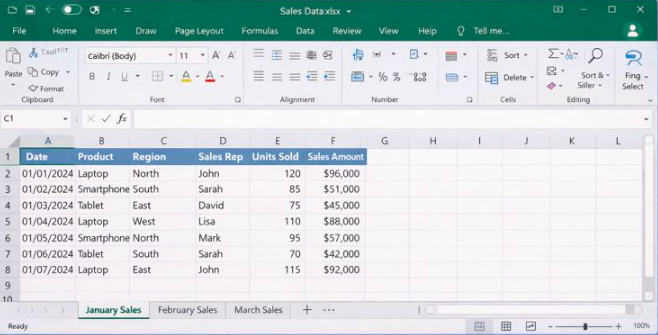
Show Excel sheet tab in ≥ 2 rows
- Navigate to Data TabClick the Data tab in the Excel ribbon.
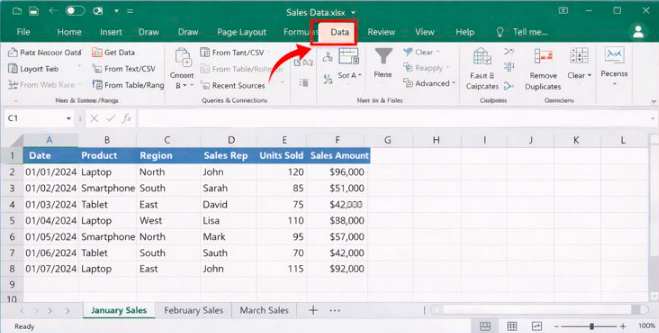
Solved: No “Get Data” on Excel 2016 DATA tab
- Load First Worksheet to Power Query Select the data range in the first sheet, then under Get & Transform Data, click From Table/Range.
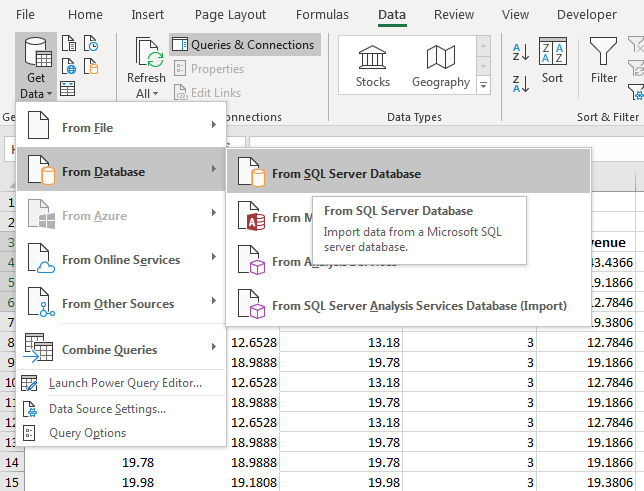
How to Use Get and Transform to Perform Queries in Excel 2019
- Load Additional Worksheets Repeat for other sheets: select data, click From Table/Range, and name each query in the Power Query Editor.
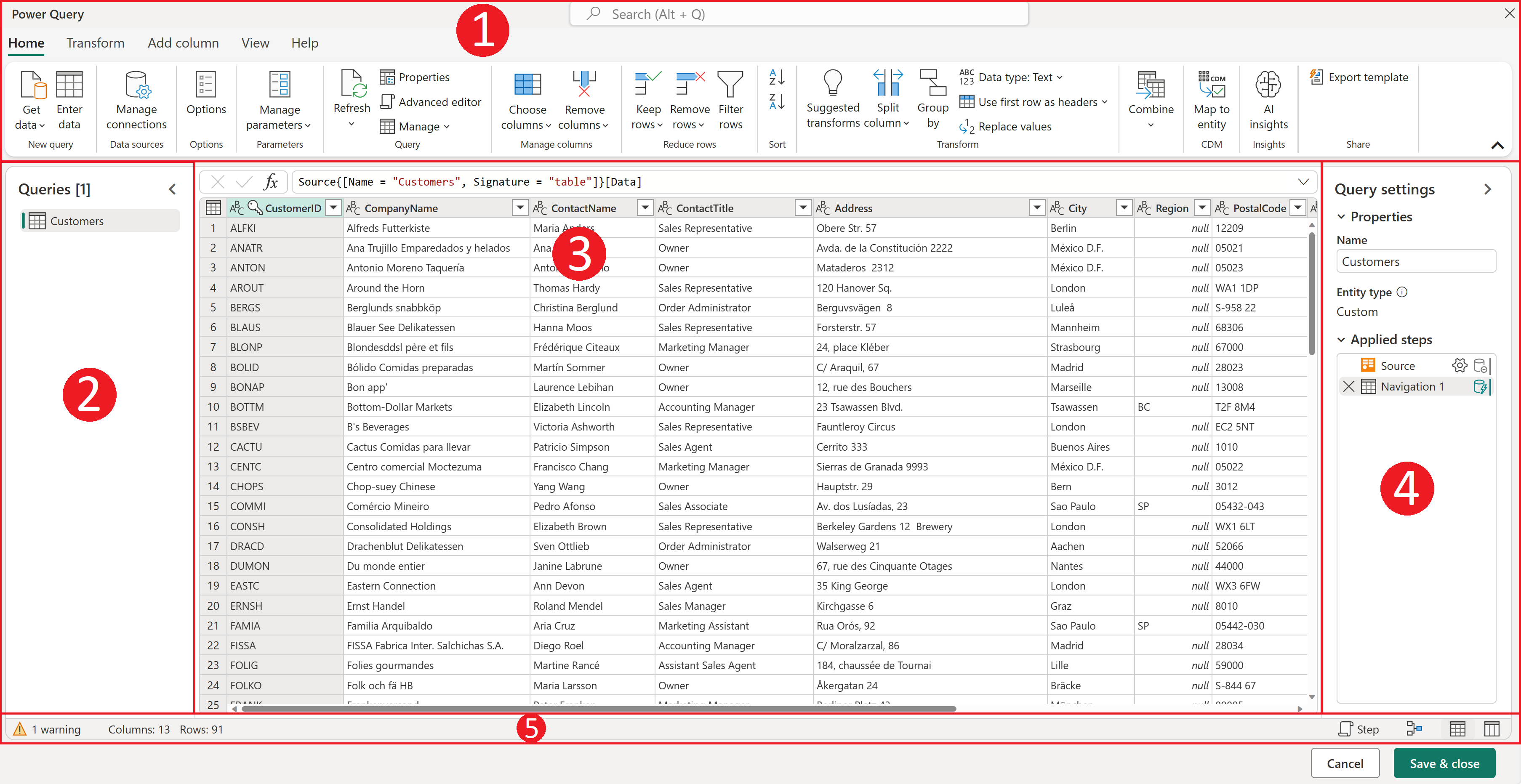
The Power Query user interface
- Append Queries In Power Query Editor, go to Home > Append Queries, then select and combine the loaded queries.
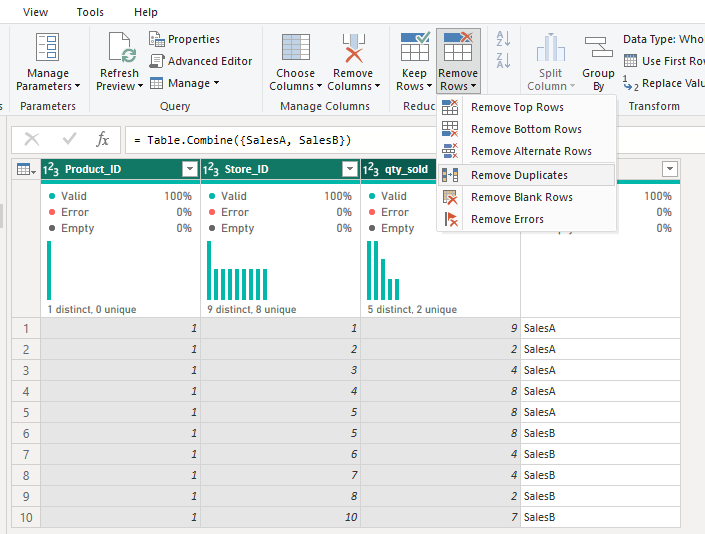
How to Append Data in Power Query
- Close and Load the Merged Data Review the preview, then click Close & Load to insert the merged table into a new worksheet.
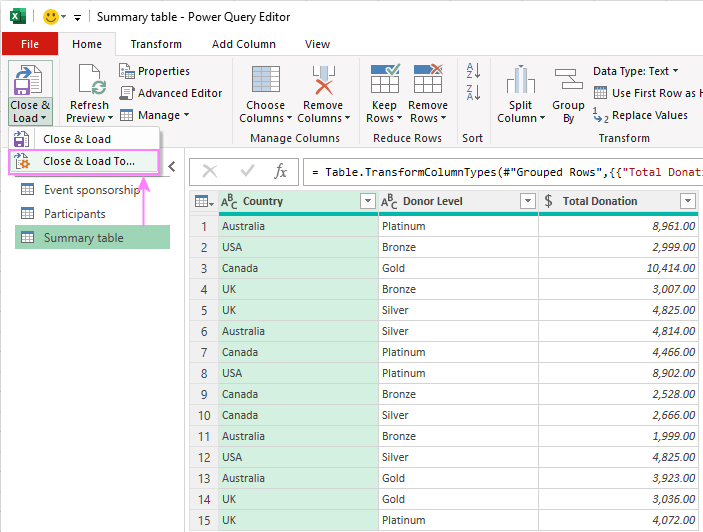
Excel Power Query tutorial for beginners: how to get, use and auto
In a financial report, merging quarterly sheets streamlined annual summaries, cutting preparation time by 50% and ensuring accurate forecasting. A marketing team combined campaign data from multiple tabs, revealing trends that boosted ROI by 20% through targeted adjustments. For inventory tracking, appending stock updates from weekly sheets prevented stockouts, improving operational efficiency and reducing losses.
