

How to Fix Computer Not Connecting to WiFi: Step-by-Step Troubleshooting Guide
2026-01-20How to Move Desktop Folder to Another Drive on Windows: Step-by-Step Guide
2026-01-21How to Match Identical Data in Two Excel Tables: Step-by-Step Guide
Matching identical data in two Excel tables involves identifying and retrieving corresponding values from one table based on shared keys in another, commonly using functions like VLOOKUP, INDEX/MATCH, or XLOOKUP to automate the process. At its core, this relies on a unique identifier (e.g., ID numbers, names) present in both datasets; VLOOKUP scans the first table’s lookup column for matches in the second table’s range, returning associated data from specified columns. Key breakdowns include: handling exact vs. approximate matches (set to FALSE for precision); sorting requirements (VLOOKUP needs the lookup column sorted if approximate); and error handling like #N/A for non-matches. This technique works across sheets or workbooks, enhancing data analysis in tools like Microsoft Excel or Google Sheets, and can be extended with Power Query for complex merges.
What if the data is in different worksheets or workbooks? Reference the sheet or file name in the formula, e.g., VLOOKUP(A2, Sheet2!A:B, 2, FALSE), or use external links for separate files to pull matches seamlessly.
Can I match data using multiple criteria? Yes, combine functions like INDEX/MATCH with concatenation (e.g., A2&B2 as a helper column) or use XLOOKUP in newer Excel versions for multi-condition searches without helpers.
Matching data in two Excel tables streamlines workflows by automating comparisons, reducing manual errors in large datasets, and enabling quick insights for reports or analysis. It saves time on repetitive tasks, improves data accuracy for decision-making, and supports scalability in business scenarios like inventory tracking or customer databases.
- Prepare Your Two Tables Open Excel, place the tables in the same or separate sheets with a common column (e.g., ID) as the matching key. Ensure the lookup table is sorted if needed.
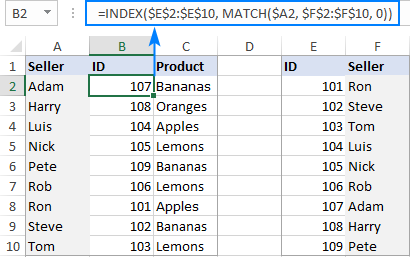
Excel: Merge tables by matching column data or headers
- Select the Target Cell In the first table, click the cell next to the lookup value where you want the matched data to appear.
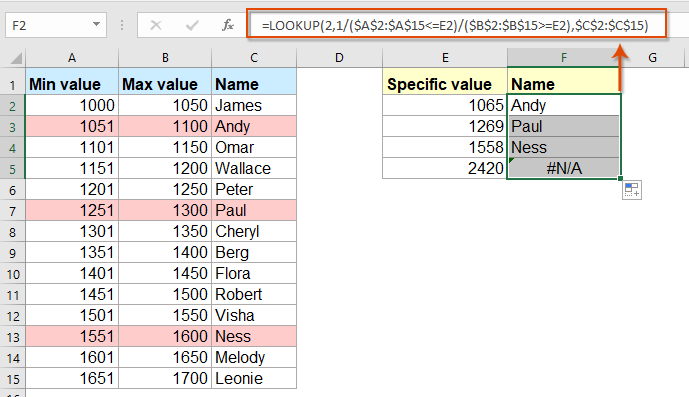
How to vlookup and return matching data between two values in Excel?
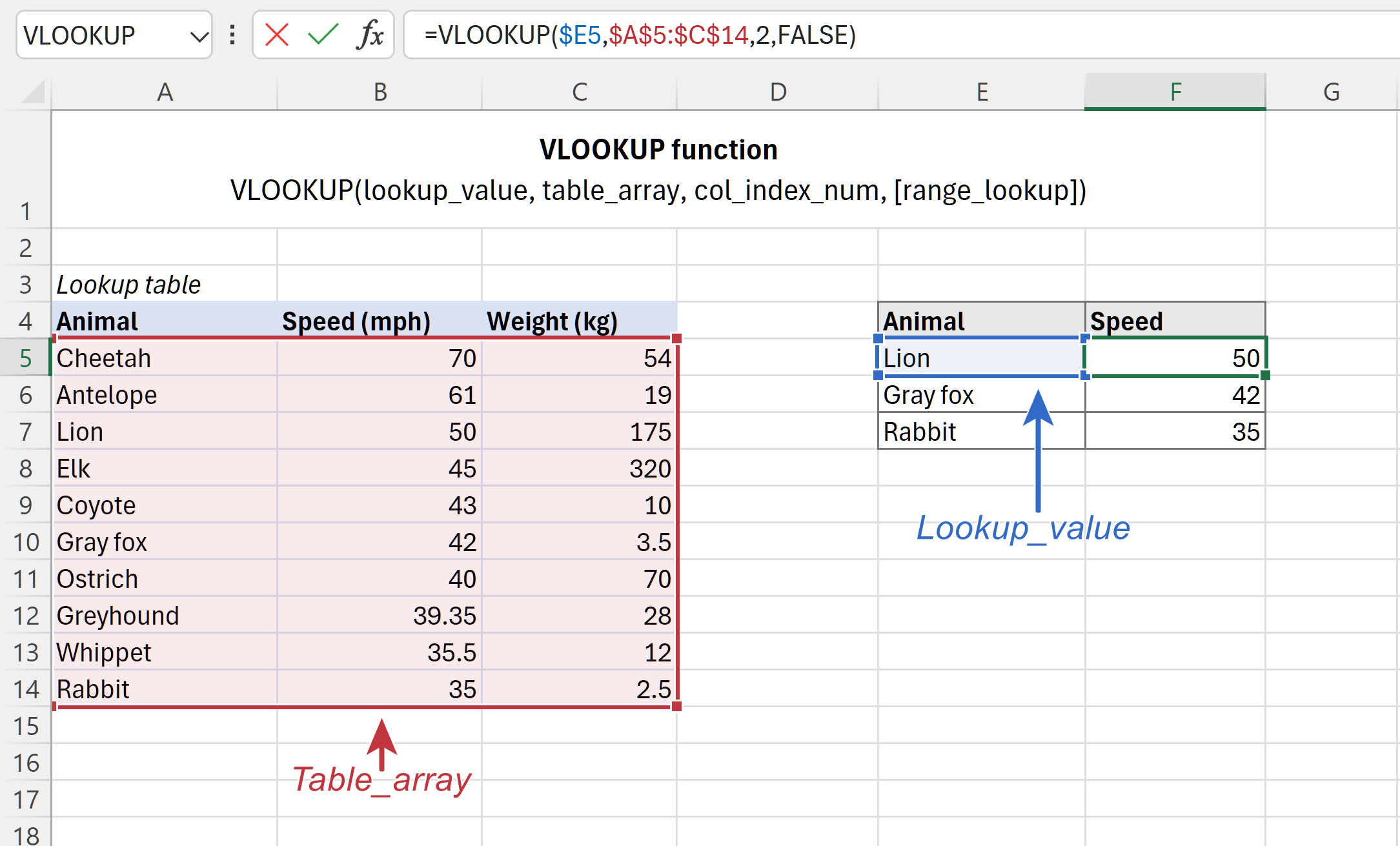
- Enter the VLOOKUP Formula In the formula bar, type =VLOOKUP( and select the lookup value (e.g., A2).
Excel VLOOKUP function tutorial with formula examples
- Specify the Table Array After the lookup value, add a comma, then select the range in the second table including the matching column and return columns (e.g., Sheet2!A:B).
Excel VLOOKUP function tutorial with formula examples
- Set Column Index and Match Type Add a comma, enter the column number to return (e.g., 2), another comma, then FALSE for exact match, and close with ).
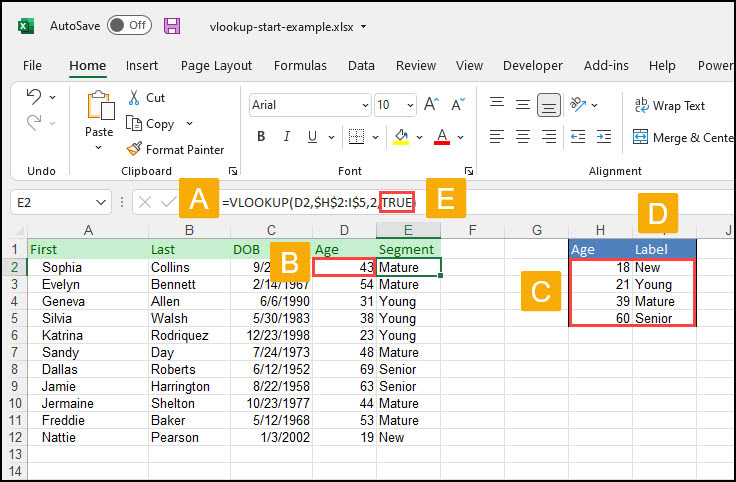
Excel VLOOKUP Made Easy
- Apply and Fill Down Press Enter to see the match, then drag the fill handle down the column to apply to all rows.
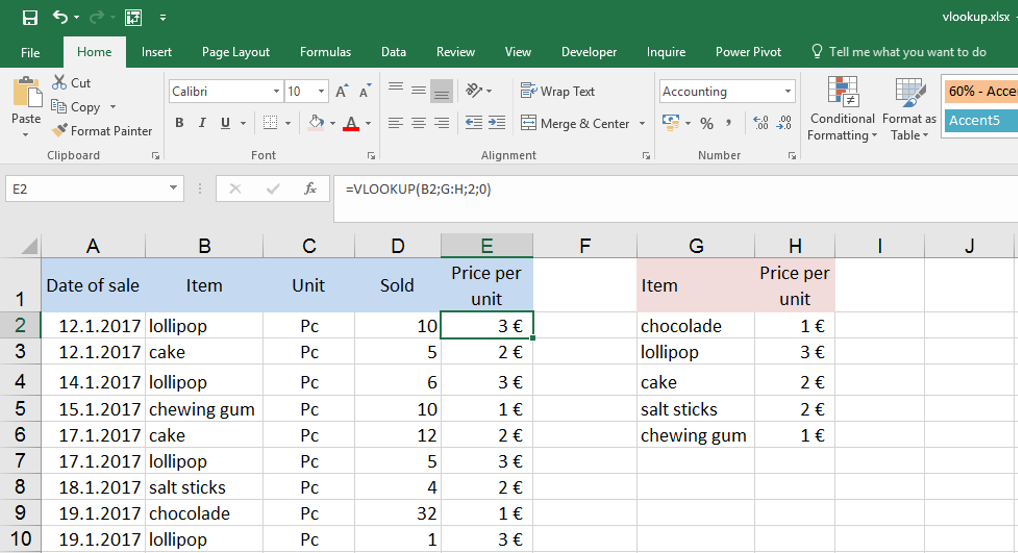
VLOOKUP – function to connect two tables
In a sales report, matching customer IDs from two tables identified duplicate orders, reducing processing errors by 30% and saving hours weekly. For inventory management, a warehouse team matched stock codes across supplier lists, preventing shortages and optimizing reorder accuracy. A researcher cross-matched survey data from separate files, uncovering patterns that led to a published study with enhanced data integrity.
